Connect GitHub
Firetower clones your repositories and pushes the branch a session works on with a GitHub token you authorise once. Before it can ask for that token, this Firetower needs an OAuth application of its own — five minutes on GitHub, done once per installation.
#Why there is an application to register
Firetower ships with no GitHub client ID in it. There is no Firetower-owned application every install shares, so each one registers its own.
The flow it uses is GitHub's device authorization grant: Firetower shows a short code, you type it into github.com, and it waits. That is why nothing here needs a callback URL, a client secret or a publicly reachable address — a Firetower on a laptop and a Firetower on a server behind a VPN authorise identically.
A device-flow client ID is public by design. It has no paired secret, and it is the only value Firetower asks you for.
What registering your own buys you: the approval screen shows your application's name, and the API rate limit is yours rather than shared.
Note
You only do this once per Firetower. Authorising your GitHub account — step 5 — is per person, and every account on the Firetower does it for themselves.
#1. Create the OAuth application on GitHub
Open github.com/settings/applications/new.
This is an OAuth app, not a GitHub App — the two are different things in GitHub's settings and only the OAuth app has the device flow.
- Application name
Firetower. This is the name on the approval screen every person on this Firetower will see, so name it after the installation if you run more than one —Firetower — Westlabs.- Homepage URL
Unused by this flow, and required by the form.
http://localhost:3000.- Authorization callback URL
Also unused — device authorization never redirects anywhere — and also required.
http://localhost:3000again. Anything else this part of the form offers, like extra callback URLs, is inert for the same reason.- Enable Device FlowTick it
The one setting Firetower cannot work without. Leave it off and every authorisation fails with the same message as a mistyped client ID, which sends you to check the thing that is already right.
- Expire user access tokensUntick it — GitHub ticks it for you
On by default, and the default does not suit Firetower: it keeps the token it is given and has nothing to renew it with. Left ticked, everything works for a few hours and then cloning and pushing start failing with no prompt, until somebody authorises again by hand.
Press Register application.
#Register it as the organisation when the Firetower is shared
If more than one person uses this Firetower, create the application under the organisation rather than your personal account: your organisation → Settings → Developer settings → OAuth Apps → New OAuth App. Same form, same answers.
An application owned by a person disappears with that person's account. One owned by the organisation outlives whoever set it up.
#2. Check the two checkboxes took
If you set them on the form, this is done. Both are easy to miss — one sits below the fold, the other is ticked for you — and both are on the application's page afterwards. Enable Device Flow on, Expire user access tokens off, then press Update application.
#3. Copy the Client ID
It is at the top of the application's page and looks like Ov23li….
Copy the Client ID only. Do not generate a client secret — the device flow has no use for one, and a secret you never use is a secret that can still leak.
#4. Paste the Client ID into Firetower
In the app: Configuration → Connections → GitHub. Paste the ID into the field and press Set.
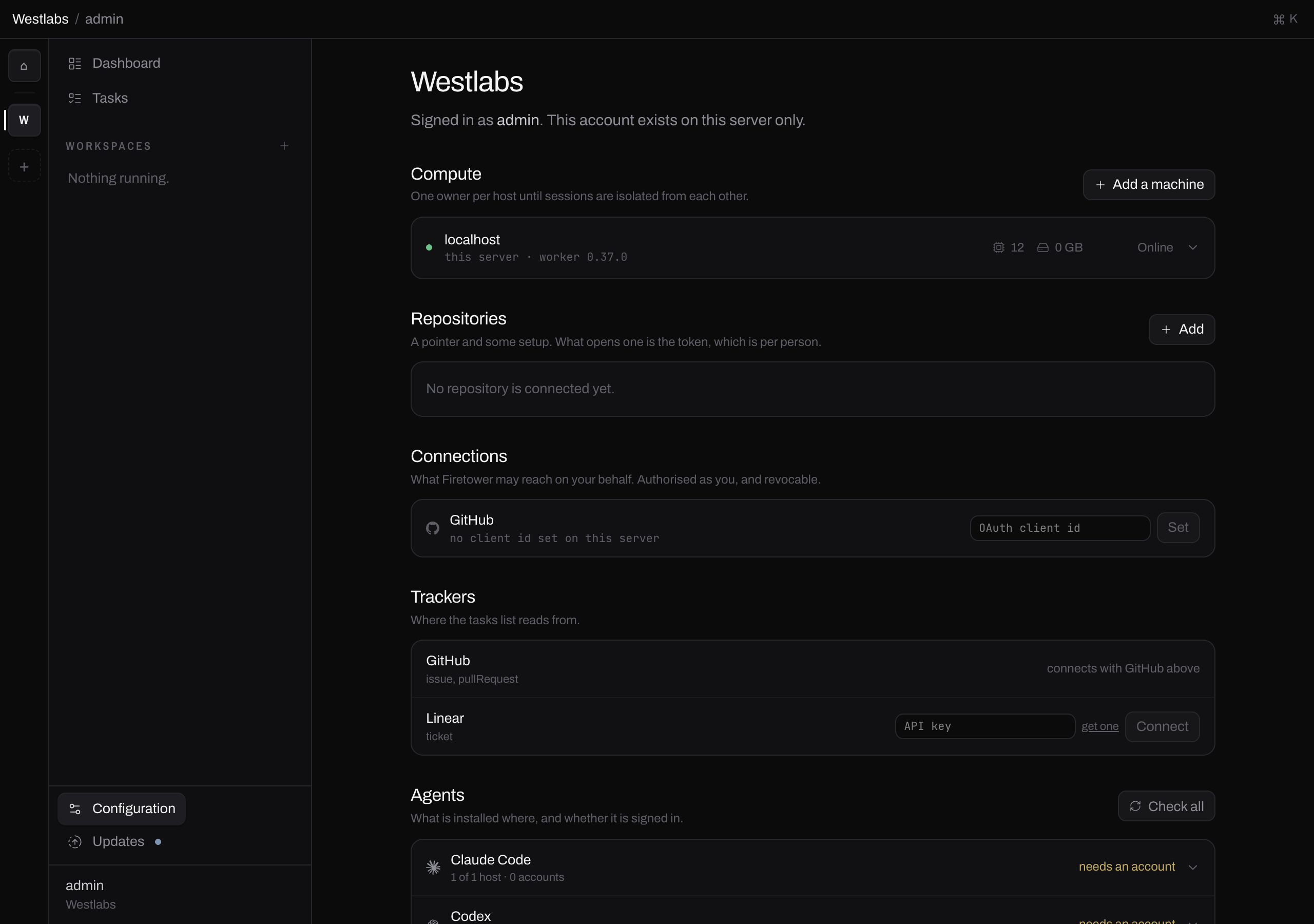
Configuration holds everything you set up once. GitHub is the first row under Connections.
Before the ID is set, the row says so and offers the field:


The ID is public, so it is shown rather than masked.
One client ID covers the whole team. It is stored in the control plane's database rather than against your account, so everybody signed in to this Firetower authorises against the same application. You do this once, it takes effect immediately with no restart, and nobody else has to repeat it.
It is safe to share with your teammates. A device-flow client ID has no paired secret, so on its own it opens nothing — all it lets somebody do is start an authorisation, against their own GitHub account. What each person actually gives Firetower access to stays their own choice, made on GitHub's approval screen in step 5, and one person's grant never widens anybody else's.
#5. Authorise your GitHub account
With an application registered, the row offers Connect:

Press it. Firetower opens github.com/login/device in your browser and shows a short code to type there:
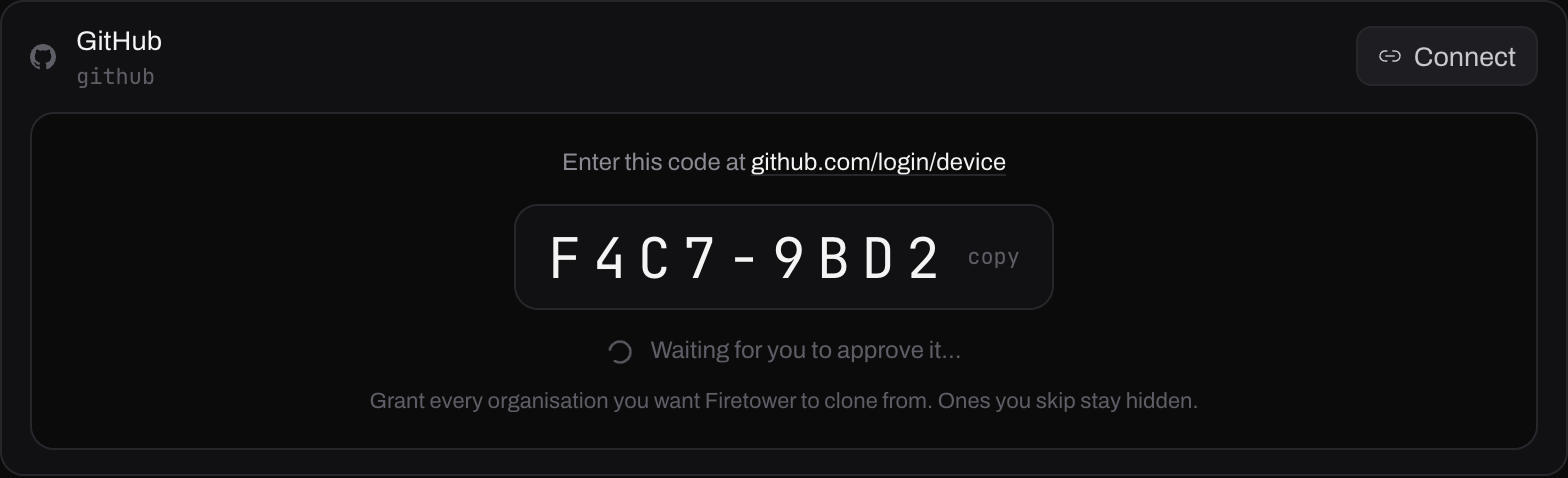
The code is typed, not clicked. Firetower keeps waiting even if you close the app's window — the waiting happens on the control plane, not in the client.
On GitHub's approval screen, grant every organisation you want Firetower to clone from. That screen is where organisation access is decided, and an organisation you skip is simply missing from your repository list afterwards, with nothing to say why.
Firetower asks for the repo scope — enough to read a private repository and
to push the branch a session works on. Asking for the write half now avoids a
second authorisation later, when the branch is ready and the interruption is
worst.
Once approved, the row goes green:

identity is what your commits are attributed to. Left alone, it is whatever your GitHub account says.
What Firetower does with the token: it is encrypted before it is stored on the
control plane, and every read of it is a line in the vault's access log. A
machine running one of your sessions is handed it over a socket that lives only
as long as the git command does, so nothing durable is left on it — no file, no
.git/config entry, no reflog.
The token is per person. Two people on one Firetower each authorise GitHub as themselves and each see only their own repositories.
#6. Add repositories
Configuration → Repositories → Add, then From GitHub. The list is what your token can see, most recently pushed first.
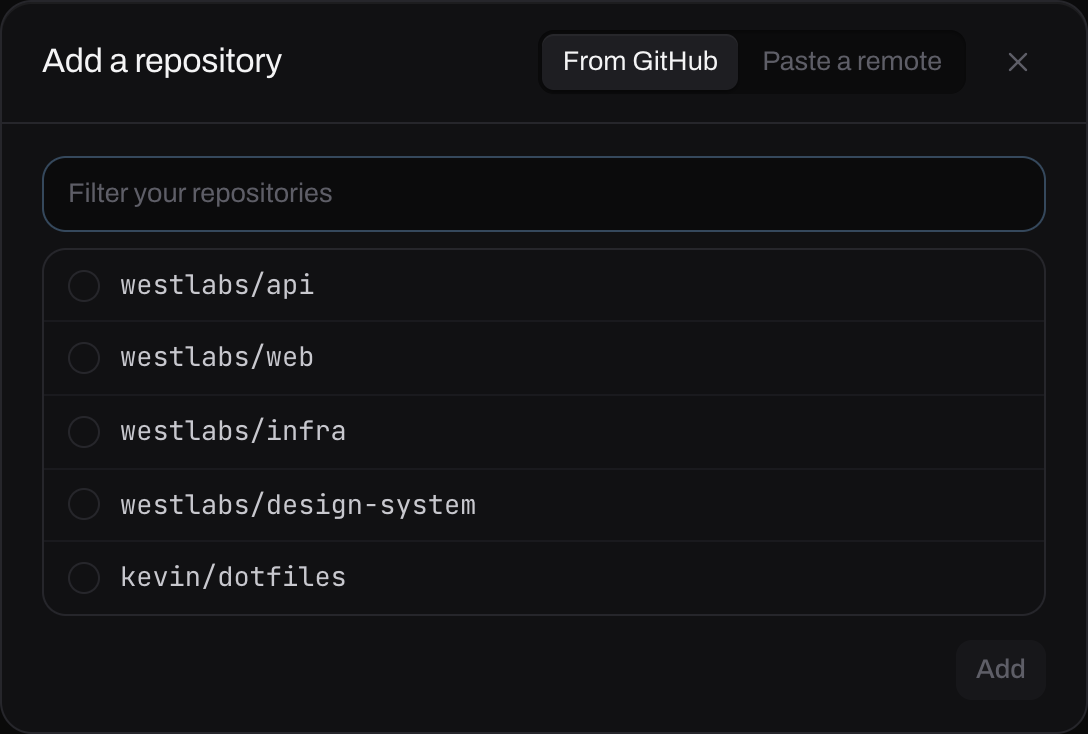
Tick as many as you like — they are added one after another.
Paste a remote is the other tab, and it works with no GitHub connection at all: Firetower reaches the URL from the machine that would do the cloning and uses that machine's own git credentials. It is why connecting GitHub is optional rather than a blocker.
#When a repository is missing from the list
Almost always one of two things, and they need different fixes.
Its organisation was not granted. Authorise again — the approval screen is shown every time and lists every organisation with Grant or Request beside it. Nothing is risked by trying: the token you already have is only replaced when a new authorisation is approved, so one you abandon or decline changes nothing.
An owner has to approve it. Organisations that restrict third-party
applications stay hidden until somebody with admin rights says yes. Request it
from the approval screen, then go and ask them. You can watch the request at
https://github.com/settings/connections/applications/<your-client-id>, which
is also where you review or revoke this application's access later.
#Tasks from GitHub issues
Nothing else to connect. The GitHub tracker under Configuration → Trackers reads issues and pull requests with the same token you authorised above, which is why its row says connects with GitHub above rather than asking for anything.
#When it does not work
- “GitHub rejected that client id”
Two mistakes answer identically here. Check that Enable Device Flow is ticked on the application, then check the ID itself for a truncated paste.
- “no application is registered for GitHub”
No client ID is stored on this Firetower. Step 4.
- The code expired
A device code lasts about a quarter of an hour. Press Connect again for a fresh one.
- It worked, then stopped
A connection that was fine and now refuses to clone or push is the sign of Expire user access tokens left ticked on the application. Untick it, then press Connect again for a token that lasts.
- A repository is missing