Sharing a resource
There are two ways to let somebody at one of your things, and they are not variations of each other. Moving it into a directory hands it over. Naming somebody on it lets them in while it stays yours. Both are done from the same panel, so this is how to tell which one you want.
#The two of them, side by side
| Move it into a directory | Name somebody on it | |
|---|---|---|
| Who it is for | a group, over time | one person or team, now |
| What it does to ownership | hands it to the directory | nothing, it stays yours |
| Highest level you can give | Admin | Editor |
| Taking it back | needs Admin on that directory | you, whenever you like |
| Good for | shared machines, team work | showing a colleague one thing |
#Where it is
Every resource that can be shared has the same control: the person icon in the toolbar, or on the row in Configuration. It opens one panel with both halves in it.

Directory access at the top is where the thing lives. Individual access underneath is everybody named on this one item. Nothing is saved until you press Save.
#Moving it into a directory
Press Move somewhere else and pick where it should go. Your own space is in the list too, which is how you take something back out of a directory, if you are allowed to.
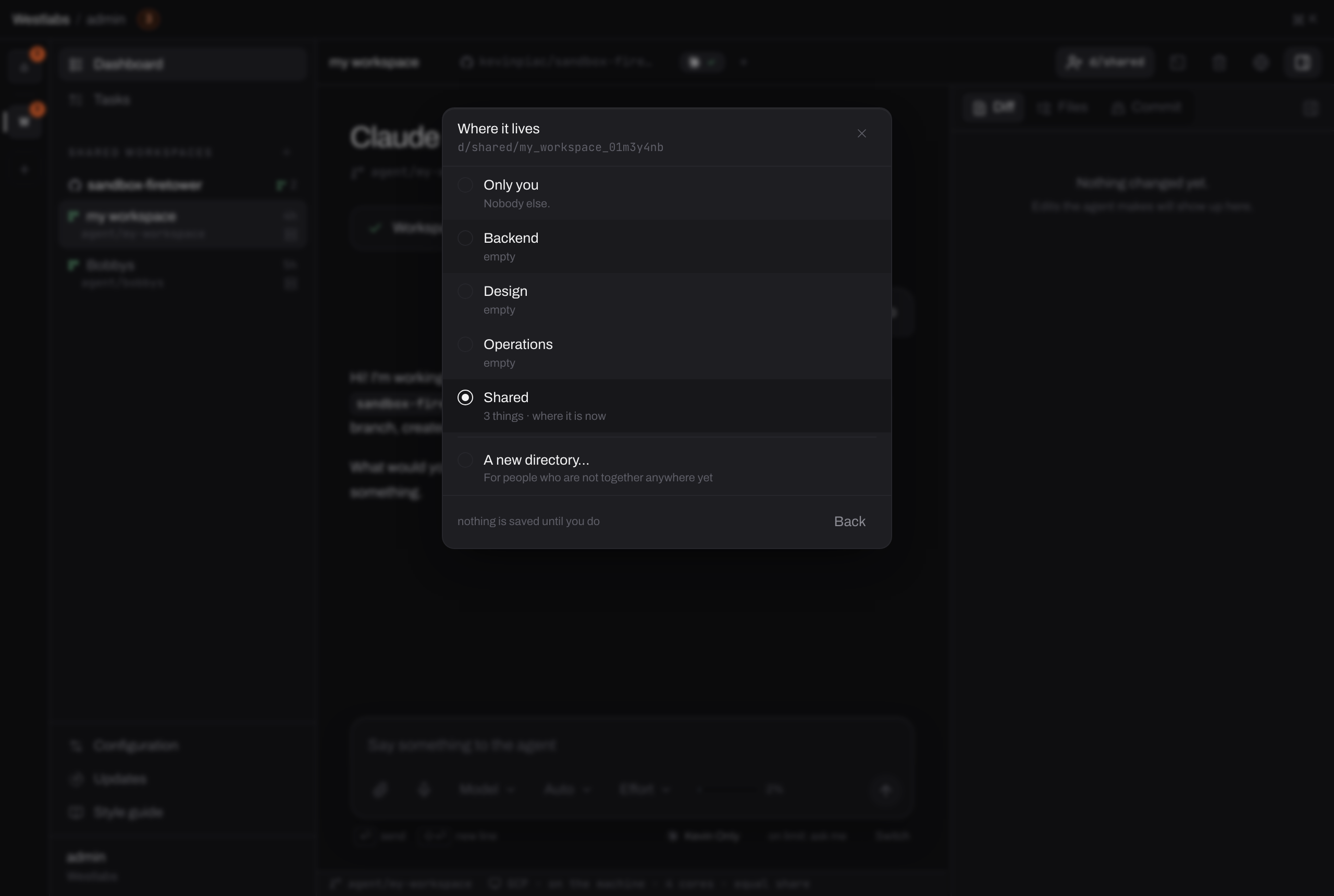
Only directories you may file into are offered. Being an Editor somewhere is enough to put your own things there.
Once it has moved, the directory owns it:
Before
u/kevin
- staging-key
Kevin decides everything about it, including who else sees it.
After the move
d/backend
- staging-key
Whoever has Admin on d/backend decides. If Kevin is not one of them, he cannot take it back.
This loses work
Moving something into a directory is not lending. If you are not an Admin of that directory, you cannot move it back out. Check who administers it before you hand over something you will want again.
#Naming somebody on it
Under Individual access, search for a person or a team and give them Viewer or Editor.
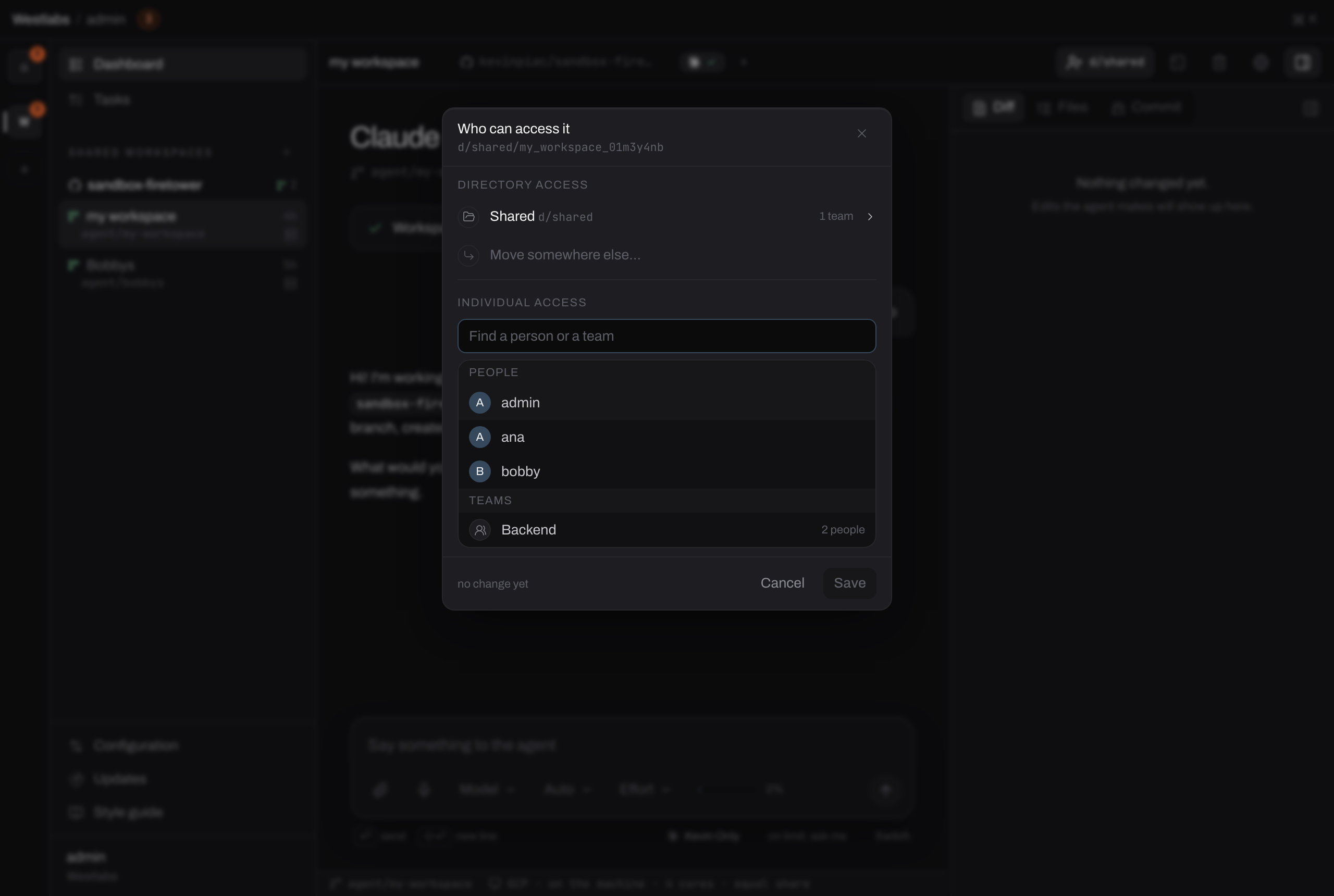
People and teams are in one list. A team here means whoever is in that team at the time, so it stays right as the team changes.
The resource does not move, and it stays yours. You can change the level or remove the person at any time, from the same panel.
Admin is not on offer here, on purpose. Letting somebody into one thing is not the same as putting them in charge of it. If somebody needs to be able to dispose of it, share the directory it lives in and make them an Admin there.
#Which one to pick
Move it when the thing is really the team's: a build machine everybody runs on, a key the backend group shares, a workspace somebody else will take over. Ownership should follow reality.
Name somebody on it when you want a second pair of eyes, a hand with one problem, or a colleague to see what you are up to. It is the lighter of the two, and the one to reach for by default, because it is reversible by you alone.
Note
If you find yourself naming the same group of people on thing after thing, that is the signal to make a directory and move them in. Three or four individual permissions pointing the same way is a directory waiting to happen.
#What cannot be shared either way
A repository. It is opened with your GitHub account, so it never leaves your own space. A colleague who needs the same codebase connects it themselves, with their own account, and gets their own setup script and variables.
A conversation with an agent. The workspace it runs in can be shared, and the conversation cannot. That is its own page: Sharing a workspace.